
Umojja Voice Messages & Voice Posts
Traduction française en bas
With this update, users can easily record and send voice messages, not only in private messages but also directly on their profiles. This offers more personal and expressive communication, making conversations more dynamic and interactive. Whether it's sharing ideas, telling stories, or simply saying hello, voice messages enrich how users interact and express themselves on Umojja.com .
How to use Umojja Voice Messages & Voice Posts
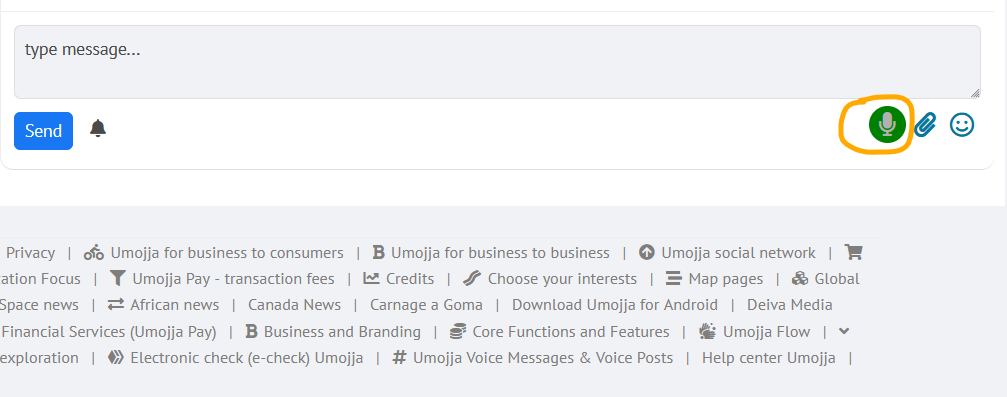
To send an Umojja voice message, tap and release the voice icon. The icon will start flashing, and you'll begin speaking. Once you're finished, tap the same icon again: it will stop flashing, and the voice file will appear. You can then send it or add a text message if you wish, and then tap "Send."
How to use Umojja Voice Posts
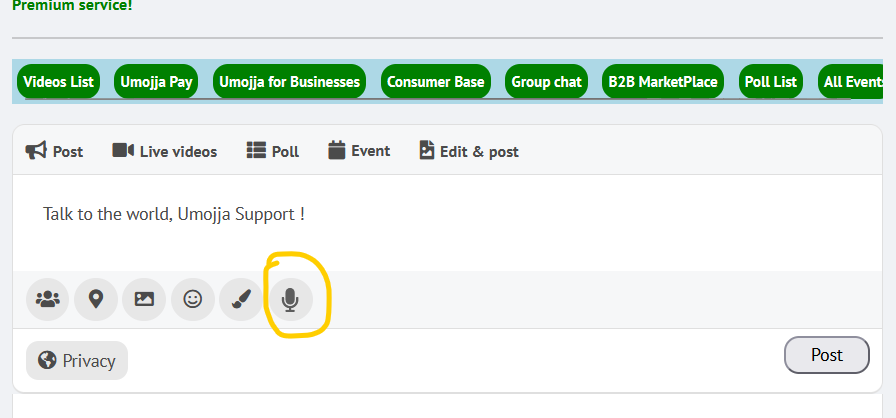
To post an Umojja voice post on the Umojja wall, tap and release the voice icon (tap once). The icon will start flashing, and you can start speaking. Once you're finished, tap the same icon again (Once again) : it will stop flashing, and the voice file will appear. You must add a text post that must be posted with the voice (otherwise the post will fail), and then tap "Post."
English translation at top
Grâce à cette mise à jour, les utilisateurs peuvent facilement enregistrer et envoyer des messages vocaux, non seulement en messages privés, mais aussi directement sur leur profil. Cela offre une communication plus personnelle et expressive, rendant les conversations plus dynamiques et interactives. Qu'il s'agisse de partager des idées, de raconter des anecdotes ou simplement de dire bonjour, les messages vocaux enrichissent la façon dont les utilisateurs interagissent et s'expriment sur Umojja.com .
Comment utiliser les messages vocaux Umojja
Pour envoyer un message vocal sur Umojja, appuyez brièvement sur l'icône vocale (une fois). L'icône commencera clignoter et vous pourrez commencer à parler. Une fois votre message terminé, appuyez de nouveau sur la même icône (une fois encore) : elle cessera de clignoter et le fichier vocal s'affichera. Vous pourrez alors l'envoyer ou ajouter un message texte (pas obligatoire un message texte) si vous le souhaitez, puis appuyer sur « Envoyer ».
Comment utiliser les publications vocales d'Umojja
Pour publier un message vocal Umojja sur le mur Umojja, appuyez brièvement sur l'icône vocale (une fois). L'icône clignotera et vous pouvez commencer à parler. Une fois terminé, appuyez de nouveau sur la même icône (une fois encore) : elle cessera de clignoter et le fichier audio apparaîtra. Vous devez ajouter un message texte qui doit être publié avec le message vocal (sinon la publication échouera), puis appuyez sur « Publier » ou "Post".